Action scenes are all about choreography. Who moves where, how fast the camera follows, and when the hit lands decide whether a sequence thrills or confuses. Rendering every attempt in full resolution is a painful way to find out. Dreamina’s Seedance 2.5 Draft mode gives action creators a smarter path.
Seedance 2.5 is Dreamina’s latest and most advanced video generation model, and its Draft mode lets you block out a scene in fast 480p previews before you generate the native 1080p final. Let’s dive into how to plan high-energy scenes with less risk and more fun.
Why Blocking Comes Before Beauty
Blocking is the map of a scene: where characters stand, how they move, and how the camera travels around them. If the blocking is wrong, no amount of polish will save the shot.
That is why testing early matters. With Dreamina, you can treat 480p Drafts as your rehearsal space and save the expensive stage for the shot you already trust.
Meet Dreamina’s Seedance 2.5 Draft Mode
Seedance 2.5 Draft mode is Dreamina’s preview-first workflow inside its most advanced video generation model. You create 480p Drafts, choose the best one, and then generate a fresh native 1080p final that reuses the Draft’s prompt, references, seed, aspect ratio and duration.
Key highlights:
- Consistent results: subject motion, composition and camera movement stay closely aligned between Draft and final.
- Lower iteration costs: a 480p Draft is modeled at US$0.514 per 5 seconds, compared with US$2.843 for 1080p.
- Quick turnaround: 10-second Drafts averaged as little as about 70 seconds in engineering tests.
- Reference support: guide the scene with image, video or audio inputs.
Your Action Rehearsal in Three Steps
Lights, camera, Draft! Here is how to run a rehearsal with Dreamina and Seedance 2.5 Draft mode.
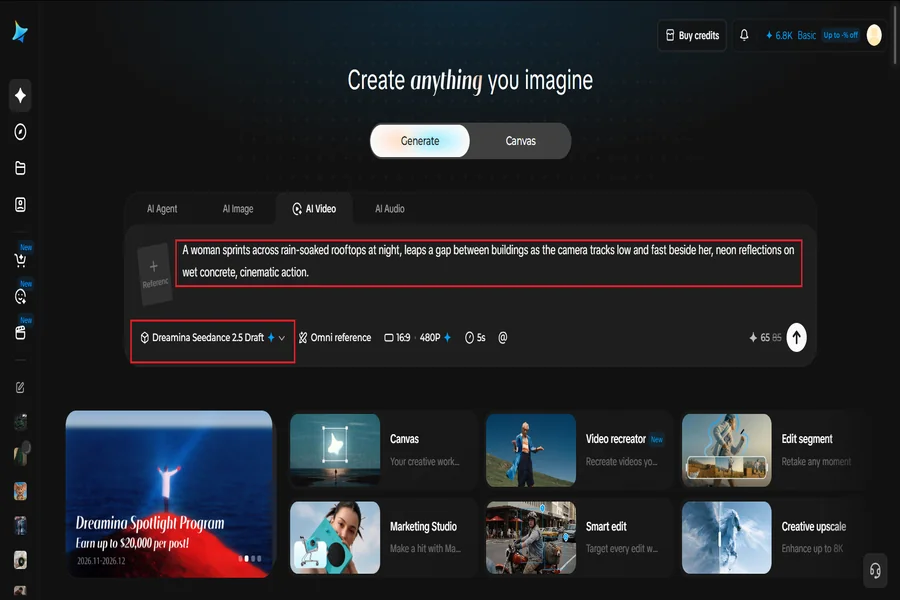
Step 1: Create a 480p Draft
Start a draft request with your scene description and any image, video, or audio references.
For example: A woman sprints across rain-soaked rooftops at night, leaps a gap between buildings as the camera tracks low and fast beside her, neon reflections on wet concrete, cinematic action.
Set Draft mode on and choose 480p, the supported preview resolution. Then, wait until the Draft succeeds before reviewing the video.
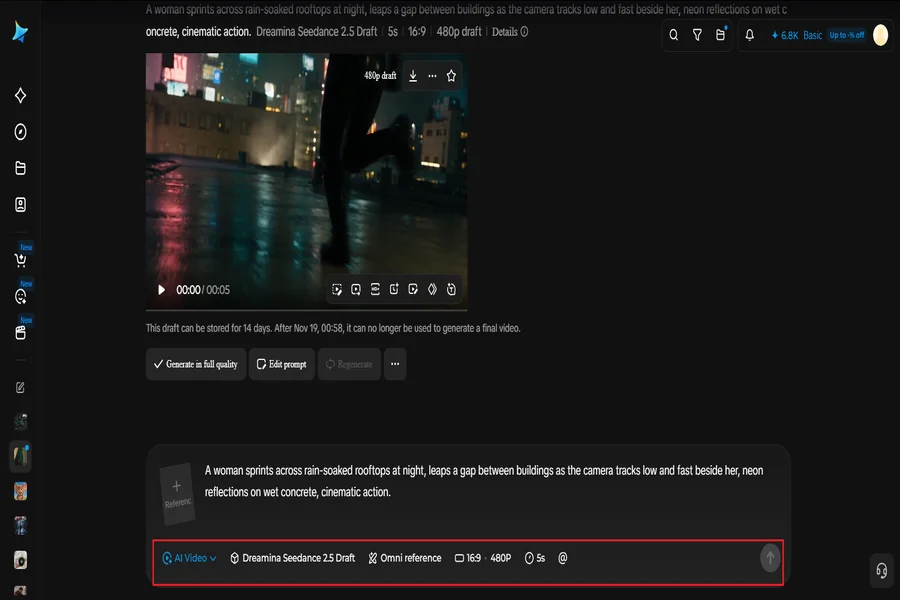
Step 2: Compare takes and choose the shot
Next, fine-tune your settings by selecting a model, Seedance 2.5 Draft. You can also choose the size of the video, for example 16:9 for a YouTube channel or 9:16 for social media Reels. Lastly, select the duration of video you desire and click generate.
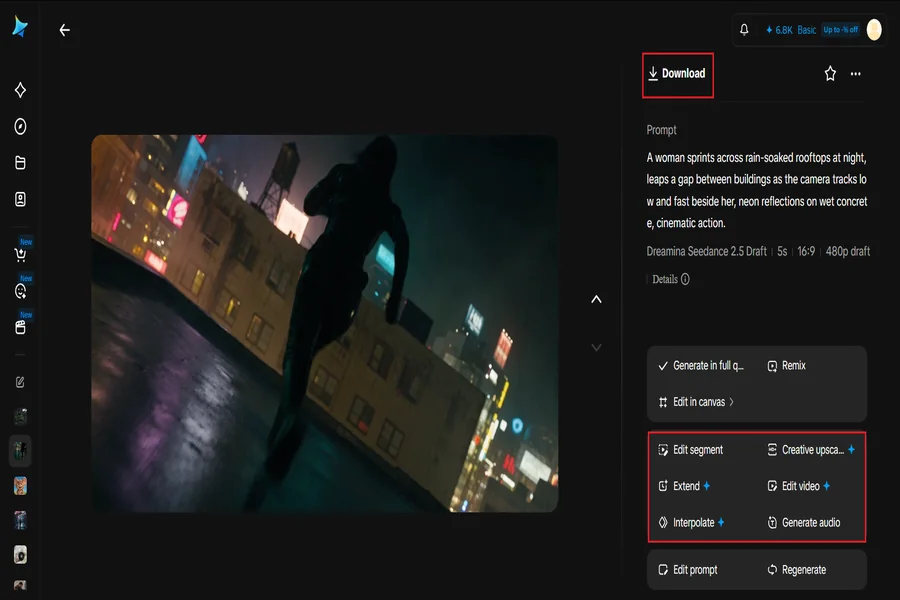
Step 3: Generate and review
Watch for composition, performance, camera movement, dialogue, audio, and pacing. Does the jump read clearly? Does the camera keep up? Refine the prompt or references and create new Drafts when you want a different creative direction. Choose the successful take that best matches your shot intent. Create a final-generation task using the same model. Click “Generate in full quality” for 1080p video reaults. When the task succeeds, download and review the newly generated final for continuity, lighting, and detail before delivery.
Reading Motion: What to Look for in a Draft
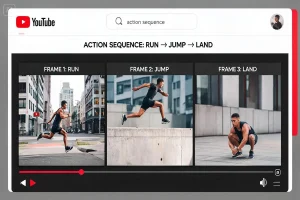
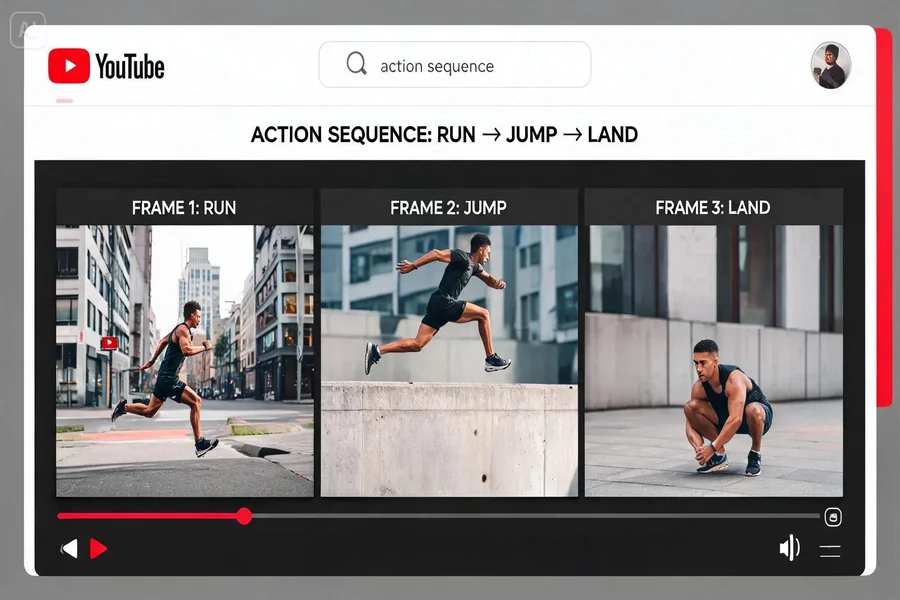
In an action Draft, your eyes should follow the energy. Is the hero’s path obvious from start to finish? Do other characters stay in believable positions?
Keep a simple checklist beside you: direction of travel, speed changes, and where the camera sits relative to the action. A clear Draft usually becomes a clear final.
Camera Moves That Sell the Impact
The camera is a character in every action scene. A whip pan adds urgency, a low tracking shot adds speed, and a slow pull-back can reveal the scale of a stunt.
Try a few moves across separate Drafts:
- A low tracking shot beside the runner
- A wide establishing pull-back before the jump
- A handheld-style follow from behind
Crowds, Props and Background Spacing
Busy scenes get messy quickly. Extras can block the hero, props can drift into odd places and backgrounds can crowd the frame.
Use your Draft to check spacing. If the alley feels cluttered, simplify the prompt. If the foreground feels empty, add a few details and test again. Cheap Drafts make these small adjustments painless.
Sound and Timing: Hitting the Beat
Action is rhythm. A punch needs a pause before it and a reaction after it. If you are using audio references, Drafts help you see whether movement lines up with the soundtrack.
Short, punchy beats often read better than long, drawn-out ones. Test timing in Dreamina’s Seedance 2.5 Draft mode before locking the final.
Iterating Without Burning the Budget
Action concepts usually need several tries. A typical 11-take workflow is modeled at about 73% lower cost than rendering all takes directly in 1080p, and the savings grow as you explore more directions.
That means you can try the wild idea, the safe idea and the weird in-between idea, then pick a winner with confidence.
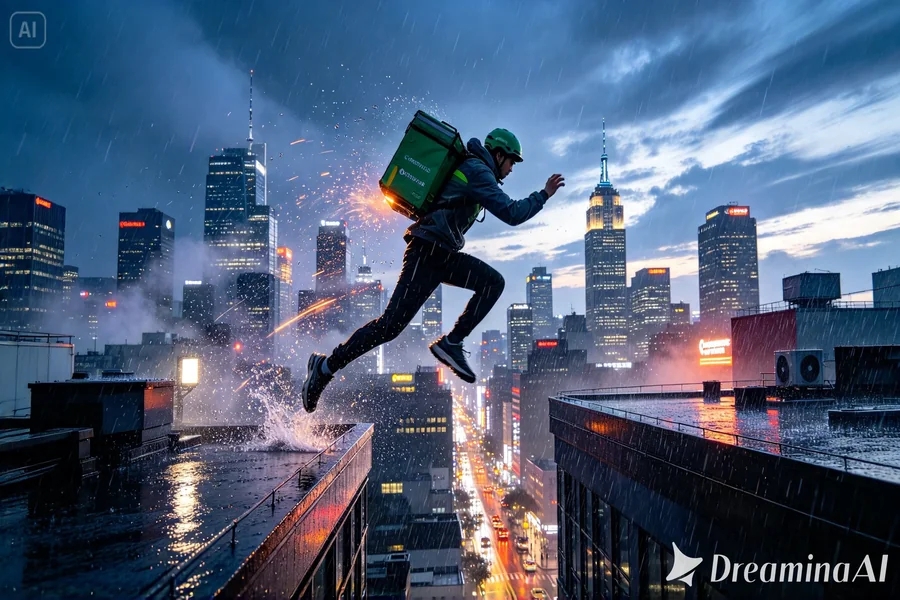
Final Review Before the Big Screen
Once your 1080p final is ready, check it like a director. Is continuity intact from the first frame to the last? Does lighting stay consistent? Are rain, sparks or smoke detailed enough?
A final may still differ slightly from the Draft, so a careful review is part of the process.
Conclusion: Action Starts With a Good Draft
Previewing action sequences and dynamic scene blocking is easier when mistakes are cheap. Dreamina’s Seedance 2.5 Draft mode lets you rehearse in 480p, choose your strongest take, and generate one polished native 1080p final.
Seedance 2.5, Dreamina’s latest and most advanced video generation model, is built for exactly this kind of exploration. Write your scene, run a Draft, and let your next action sequence hit harder.

Passionate about exploring diverse ideas and sharing inspiration, I curate content that sparks curiosity and encourages personal growth. Join me at ElementalNest.com for insights across a wide range of topics.