
You have probably heard the term eSIM at least once in the past year, whether from a phone salesperson, a travel blog, or a friend who mentioned it before an international trip. If you are not sure what it actually means or why it matters for you, you are not alone. The technology is straightforward once someone explains it without assuming you already know what GSMA standards or eUICC architecture are. This guide does exactly that.
What a Regular SIM Card Is
Before explaining what an eSIM is, it helps to understand what a regular SIM card does. SIM stands for Subscriber Identity Module. It is the small plastic chip you insert into your phone that tells your carrier who you are. When you sign up with AT&T, Verizon, or T-Mobile, they give you a physical SIM card that connects your phone number and data plan to their network.
The card stores your subscriber information and authenticates your device every time you make a call, send a text, or use mobile data. Without it, your phone cannot connect to any cellular network.
Physical SIM cards come in different sizes. The nano-SIM, the smallest format, is what most modern smartphones use today. You insert it into a small tray on the side of your phone.
What an eSIM Is
An eSIM is a digital version of that physical SIM card. Instead of a removable plastic chip, it is a small component soldered directly onto your phone’s circuit board. You cannot take it out, and you do not need to.
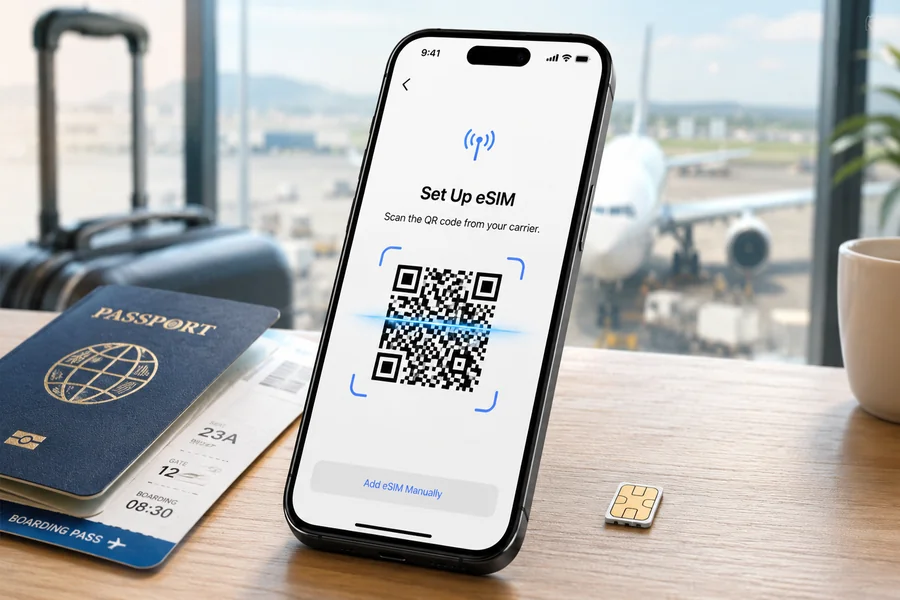
The key difference is how you activate it. With a physical SIM, your carrier gives you a chip and you insert it. With an eSIM, your carrier sends you a QR code. You scan that QR code from your phone’s settings, and the carrier profile downloads wirelessly onto the built-in chip. No physical card changes hands. No tray to open.
Once activated, the eSIM works exactly like a physical SIM in every way that matters. You make calls, send texts, and use data as normal.
Which Phones Support eSIM
eSIM support has become standard on most modern smartphones. On the Apple side, every iPhone from the XS onward supports eSIM. The iPhone 14 and 15 models sold in the United States removed the physical SIM tray entirely, making eSIM the only option for domestic buyers.
On Android, Google Pixel phones have supported eSIM since the Pixel 3. Samsung Galaxy phones have supported it since the S20 series. Most current flagship and mid-range Android phones from major manufacturers include eSIM support.
To check if your phone supports eSIM, go to Settings on iPhone and look for Mobile Data or Cellular, then check for an Add eSIM option. On Android, look in Settings under Network or Connections for a SIM Manager that includes an eSIM option.
One important prerequisite: your phone needs to be carrier-unlocked to use an eSIM from a provider other than your current carrier. Phones purchased on installment plans are sometimes locked to a carrier for a period. You can request an unlock from your carrier, and most will process it once your contract terms allow.
Why eSIM Matters for Travelers
For most people who use their phone exclusively in the United States, eSIM is a convenient technology but not a life-changing one. The situation changes dramatically when you travel internationally.
US carrier international day plans charge $10 to $25 per day for data access abroad. On a two-week trip to Europe, Japan, or South America, that adds $140 to $350 to your monthly phone bill. The charges apply whether you actively use data or just have your phone turned on in a foreign country.
An eSIM allows you to add a separate data plan from a local or travel-focused provider before you leave home. You scan a QR code, the profile installs in minutes, and when you land at your destination your phone connects to a local network at local rates instead of routing through your US carrier’s expensive roaming partnership.
Your US phone number stays active on your physical SIM the entire time. Incoming calls and texts to your American number still come through. The eSIM simply handles your data connection.
How to Actually Set Up an eSIM
The process is the same regardless of which provider you use. On iPhone, go to Settings, then Cellular or Mobile Data, then Add eSIM. Select Use QR Code and scan the code from your provider’s confirmation email. Follow the prompts to name the plan and set your preferences. On Android, the path varies slightly by manufacturer but follows the same scan-and-activate sequence.
The entire setup takes under five minutes. Most providers recommend installing the eSIM before you leave home rather than at the airport, so you have time to troubleshoot any issues without time pressure.
If you are new to eSIM and want a reliable starting point, Holafly has a detailed breakdown of what an eSIM is and how the whole system works, available through their esim explainer page. It covers device compatibility, the activation process, and how to manage multiple profiles in plain language that does not require a technical background.
Can You Have Both a Physical SIM and an eSIM Active at the Same Time
Yes, on most modern phones. This configuration is called Dual SIM. Your physical SIM card and your eSIM profile operate as two separate lines simultaneously. You can assign different functions to each, for example using your physical SIM for calls and texts and your eSIM for data, or keeping both fully active.
This is the setup most experienced travelers use: their regular US number stays reachable for calls and texts, while the eSIM handles internet at local rates. No need to carry two phones or swap cards.
Does eSIM Replace Physical SIM Entirely
For most people right now, no. Most US phones still include a physical SIM tray alongside eSIM support. The iPhone 14 and later US models are an exception, having moved fully to eSIM.
The broader industry is moving in the direction of eSIM-only devices, following Apple’s lead in the US market. Internationally, the transition is slower. European and Asian iPhone models still include a physical SIM slot. The full shift to eSIM-only across all manufacturers and markets is expected to take several more years.
Three Things to Remember About eSIM
First, an eSIM does not replace your phone number or your carrier unless you specifically switch carriers. It adds connectivity options on top of what you already have.
Second, the technology is already in your phone if you bought a flagship or mid-range smartphone in the last three to four years. You may have eSIM capability right now without knowing it.
Third, the most practical immediate use case for most Americans is international travel. If you take at least one trip outside the US per year, understanding how to activate a travel eSIM before you leave will save you money on the first trip and every trip after.

Passionate about exploring diverse ideas and sharing inspiration, I curate content that sparks curiosity and encourages personal growth. Join me at ElementalNest.com for insights across a wide range of topics.