
You sit down to work, open your browser, and everything feels like it’s moving through molasses. Apps take forever to launch, web pages stall halfway through loading, and your once-snappy computer now feels like it’s fighting you at every click. If this sounds familiar, you’re dealing with two of the most common frustrations in everyday computing: a bogged-down system and an internet connection that never seems to hit the speed you’re paying for.
The good news is that both problems are usually fixable, and the fixes are more straightforward than most people assume.
Why Your PC Slows Down Over Time
No computer runs as fast a year in as it did on day one, and it’s rarely because the hardware itself failed. Instead, performance erodes gradually as small inefficiencies pile up:
- Startup program overload: Every app you install seems to want a spot in your startup sequence. A year or two later, dozens of programs are quietly loading the moment you log in, competing for CPU and memory before you’ve even opened anything.
- Junk file buildup: Temporary files, browser caches, and leftover installation data accumulate in the background. None of it serves a purpose, but it eats disk space and can slow down file operations.
- Registry clutter: Uninstalled programs often leave behind orphaned entries that Windows still has to process.
- Background processes:Update agents, cloud sync tools, and vendor dashboards run silently, consuming resources you never notice until performance takes a hit.
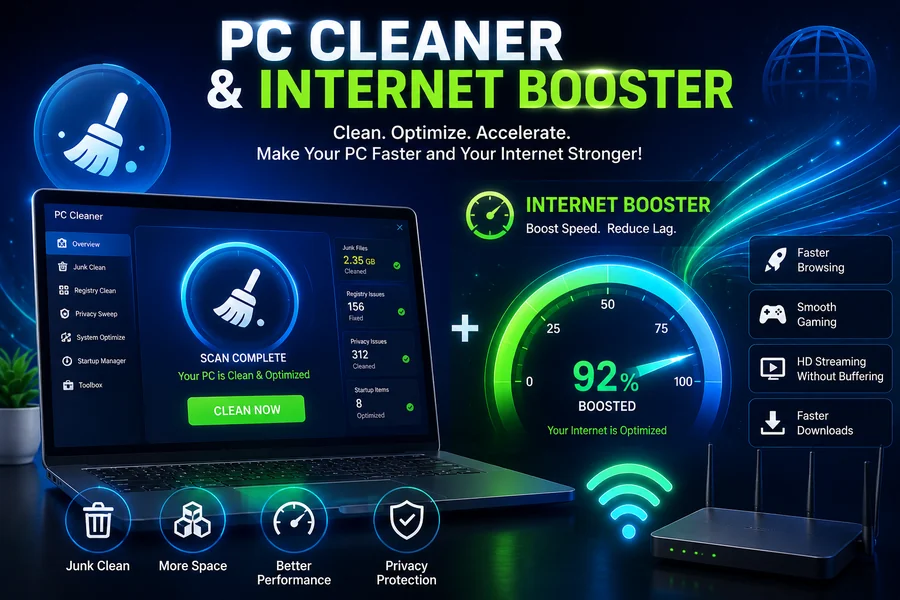
None of these issues require a hardware upgrade to fix. This is precisely the kind of routine maintenance a dedicated PC cleaner is built to handle: scanning for junk files, flagging unnecessary startup entries, and clearing out the digital clutter that accumulates the longer you use your machine.
Why Your Internet Feels Slower Than It Should
A slow-feeling connection doesn’t always mean your internet plan is the problem. Several PC-side factors can drag down your real-world browsing and download speeds even when your provider is delivering exactly what you’re paying for:
- Background apps competing for bandwidth:Cloud sync tools, auto-updaters, and streaming services running in the background can quietly consume a large share of available bandwidth.
- Outdated network drivers: Just like graphics drivers, network adapter drivers need occasional updates to run efficiently and avoid compatibility hiccups.
- Poor network configuration: Default Windows settings aren’t always tuned for the best possible throughput, and small adjustments can noticeably improve responsiveness.
- DNS and routing overhead: Slow DNS resolution can make websites feel sluggish even when the underlying connection is fine.
This is where an internet booster tool comes in. Rather than requiring you to dig through network settings manually, this type of software analyzes your connection, adjusts configurations for better throughput, and helps reduce the everyday lag that makes browsing and downloading feel slower than your plan should allow.
A Combined Approach Works Best
Treating system performance and internet speed as separate problems is a common mistake. In practice, they overlap more than people expect. A PC weighed down by junk files and background processes has less capacity to handle network traffic efficiently, and a connection struggling under unnecessary background bandwidth use can make an otherwise healthy PC feel sluggish online. Addressing both at once tends to produce a noticeably smoother experience than tackling just one.
This is exactly the gap that IObit’s Advanced SystemCare is designed to close. As a comprehensive PC cleaner, it scans for junk files, manages startup items, and clears out the background clutter that accumulates over time, all from a single dashboard rather than juggling multiple standalone tools.
Paired with its built-in Internet Booster, the software also optimizes network settings to help reduce lag and improve overall connection responsiveness, addressing both sides of the slowdown equation without requiring separate downloads or manual configuration.
Building Better Long-Term Habits
Software can only do so much if the underlying habits don’t change. A few practices help maintain results over time:
- Run maintenance scans regularly rather than only when problems become obvious, since junk files and startup clutter accumulate continuously.
- Keep both system and network drivers updated, as outdated drivers are a frequent source of unexplained slowdowns.
- Periodically review which apps have permission to run in the background and consume bandwidth unnecessarily.
- Restart your router and PC occasionally, since this simple step resolves a surprising number of temporary slowdowns.
Final Thoughts
A sluggish PC and a disappointing internet connection are rarely permanent conditions. In most cases, both stem from accumulated clutter, background processes, and settings that were never optimized in the first place. By combining a reliable PC cleaner with a dedicated internet booster, it becomes far easier to keep a system running the way it did when it was new, without needing to guess which fix to try next.

Passionate about exploring diverse ideas and sharing inspiration, I curate content that sparks curiosity and encourages personal growth. Join me at ElementalNest.com for insights across a wide range of topics.