Black Friday is only a few days away, and if you run a small shop, a café, an online store or a service business, you are probably deep in the same scramble as everyone else. The signs are half printed, the offers are still being tweaked, and you are wondering how to tell people about your deal without paying for yet another ad.
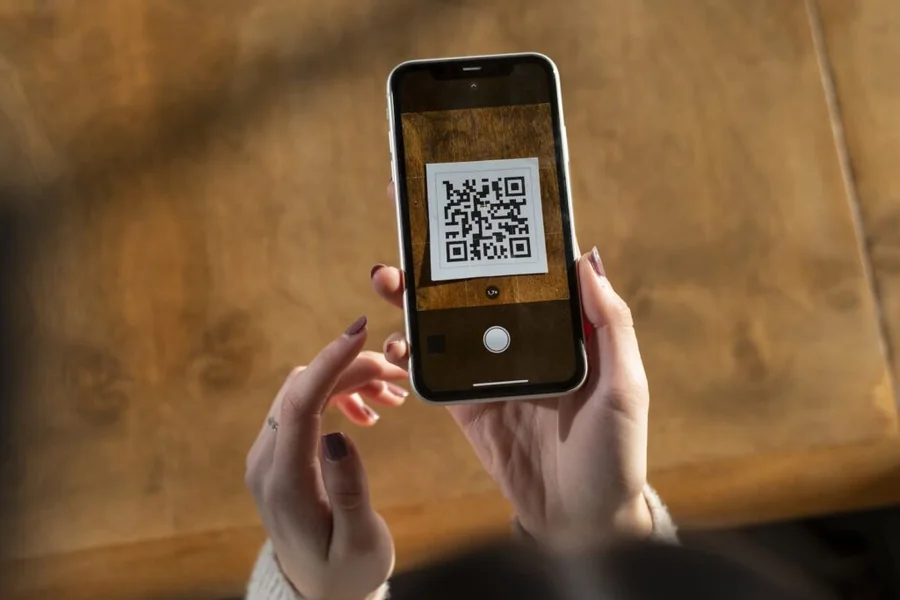
One of the cheapest, simplest tools for the job is sitting in every customer’s pocket. Nearly every smartphone camera can scan a QR code, which means a small square on a window, flyer or receipt can send someone straight to your offer in a couple of seconds. Done well, it saves customers typing, gives you a way to see what is working and connects your physical space to your online store. Here are nine practical ways to use QR codes this Black Friday, followed by a few tips so they work when it matters.
1. Send shoppers to a dedicated sale page
Instead of pointing people to your homepage and hoping they find the deal, create one page just for the sale. List the offers, the dates, any exclusions and a clear button to buy or book. Then make a QR code that opens that page.
A dedicated page keeps things simple for the customer and makes your results easier to measure. It also means you can reuse the same page for Cyber Monday with a few edits, rather than starting from scratch.
2. Put a code on your window or door
Black Friday does not only happen during opening hours. A QR code on your shop window or door lets people who walk past at night, or before you open, see what is on offer and even start shopping from the sidewalk. Add a short line of text above it, such as “Scan for today’s deals,” so nobody has to guess what it does.
Make sure the code is large enough to scan from a comfortable distance and sits at roughly eye level, away from glare and reflections.
3. Use dynamic codes so you can change the offer
Here is a detail that matters a lot for busy weeks. A static QR code stores its destination permanently, so if you print it and later change the link, the code is useless. A dynamic code points to a short link that you can edit, so the printed square stays the same while the destination changes. That means you can switch from a Friday offer to a weekend offer, or to Cyber Monday, without reprinting anything.
Several online services offer dynamic codes, and QRNow is one option. According to its website, it supports around 20 code types, including website links, coupons, PDFs, social media, Wi-Fi and vCards. It also lets you customize colors, add a logo and use frames, and dynamic codes include scan tracking showing counts, locations and times. Pricing matters here, so read it carefully: the site lists no free plan, and its one-dollar seven-day trial renews at $39.95 a month unless you cancel. If you only need a fixed link, a free static generator may be enough. If you want editable, trackable codes, compare a few providers, check the cancellation terms, and find out what happens to your printed codes if you stop paying.
4. Offer a digital coupon
Instead of handing out paper vouchers, let customers scan a code to claim a discount. The code can open a page showing a coupon, a promo code to enter at checkout, or a form to collect an email address in exchange for the offer.
Digital coupons are easy to update, and they cannot be lost in a coat pocket. If you want to limit the offer, say so clearly on the page, for example “Valid on November 28 only” or “One use per customer,” so nobody is surprised at the till.
5. Add a code to packaging and receipts
Black Friday is only the beginning. The customers you win this week are the best people to bring back in December. Slip a card into every parcel, or print a code on receipts and bags, that links to something useful:
- A thank-you page with a discount on the next order
- A short feedback or review form
- Care instructions or a how-to video
- Your social media accounts
It costs almost nothing, and it turns a one-time sale into the start of a relationship.
6. Put codes on shelves and product tags
Shoppers on Black Friday are often comparing options in a hurry. A small code on a shelf label or product tag can open a page with more details, such as sizes, ingredients, reviews or a short demonstration video. It gives customers the information they need without waiting for a staff member who is busy with the line.
For products with multiple colors or sizes that you stock online but not in-store, a code can link to the full range so customers can order what is not on the shelf.
7. Make joining your list effortless
Typing an email address on a phone is tedious, and most people will not bother. A QR code that opens a short, mobile-friendly sign-up form removes that friction. Keep the form to the bare minimum, ideally an email address and nothing else, and tell people what they will receive and how often.
Place the code at the register, on a counter sign or on your packaging. A list built this week is valuable for the rest of the holiday season and beyond.
8. Track which materials actually work
If you are using flyers, window signs, social posts, receipts and local ads, how do you know which one is bringing people in? With dynamic codes that include scan tracking, you can make a separate code for each channel and compare the results afterward. You might find that the window sign gets ten times the scans of the flyer, which tells you where to spend next year.
Even if you only have a simple setup, the principle holds: use a different code or link for each placement, and note which is which before you print.
9. Offer free Wi-Fi with a scan
Customers who can get online in your store can check prices, read reviews and use your digital coupons without worrying about their data. A Wi-Fi QR code lets them join the network in one step, with no password to type. It is a small courtesy that makes the store feel friendlier, and it pairs nicely with a sign pointing to your sale page.
If you do this, use a separate guest network for customers, not the one that runs your payment system.
Make every code scan first time
A QR code that does not work is worse than no code at all. A few simple habits prevent most problems.
- Test before you print. Scan every code with at least two different phones, in the lighting where it will actually be displayed.
- Keep strong contrast. Dark code on a light background is the safest. Be careful with fancy colors and logos, which can make scanning harder.
- Leave a quiet border. The blank margin around the code helps cameras read it.
- Size it sensibly. Bigger is better for anything people scan from a distance.
- Tell people what happens. A short call to action such as “Scan for 20% off” beats a bare square.
- Avoid curved or shiny surfaces, which make codes hard to read.
- Check the destination page loads quickly on mobile and works on a weak signal.
- Protect your customers. Place codes where only you can change them, and never stick yours over someone else’s. Scammers do sometimes paste fake codes over real ones, so check your displays regularly.
A quick pre-Black Friday checklist
With only a few days left, run through these steps:
- Finalize the offers and write them down in one place
- Build your sale page and test it on a phone
- Create your codes and test them on more than one device
- Print signs, flyers and inserts, and allow time for delivery
- Place codes at the window, register, shelves and packaging
- Decide how you will track results
- Plan what happens on Cyber Monday and afterward
Final thoughts
A QR code will not make a weak offer irresistible, but it can make a good offer much easier to act on. Start with one or two ideas from this list, such as a sale page code in your window and a digital coupon at the register, and add more as you get comfortable. Test everything, keep the destination clear and fast, and use what you learn to plan the next sale.

Passionate about exploring diverse ideas and sharing inspiration, I curate content that sparks curiosity and encourages personal growth. Join me at ElementalNest.com for insights across a wide range of topics.