The login page is the most copied page on the internet. It’s simple to clone, people type into it without thinking, and whatever they type goes straight to whoever built it.
So the best moment for online account safety isn’t after something goes wrong. It’s the five seconds before you hit “sign in.” Here are eight checks that fit into those five seconds, plus what to do if a login feels wrong halfway through.
Where account takeovers actually start
Quick answer: Most takeovers start with a fake link in a text, message or search ad. Real companies rarely send unexpected links asking you to update your account.
Most people picture hacking as someone breaking through a wall of code. In reality, a lot of account takeovers start with you being sent to the wrong door. Even well-run platforms like UFABET can’t stop a fake page from copying their look, which is why your own sign-in habits matter so much.
A text says your account is locked. A message from “support” asks you to confirm your details. A search ad sits above the real site with an address that’s almost right. That’s phishing. Real companies rarely send you an unexpected link asking you to update your account, and once you know that, half the tricks stop working.
Eight checks before you sign in
1. Arrive from a bookmark
This one habit blocks most fake login pages. Find the real address once, confirm it, save it as a bookmark, and always sign in from there. Not from a text, a chat link, an email button or a search ad.
If you use a site that posts its own official links and support channels, check against that list. For example, a brand homepage that publishes its own verified website and support information gives you a reference point to compare any link you receive against, as long as you reached that homepage from your own bookmark in the first place.
2. Read the address bar, every time
Look at the domain right before you type. Not the logo, not the colors. The domain. Fake pages copy design perfectly. They can’t copy the exact address.
Watch for swapped characters, extra words like “secure” or “verify” added to the brand name, and long strings where the real brand name sits somewhere in the middle.
Strong account protection is becoming the norm across the industry. Thailand’s revised casino bill, for instance, adds knowyour customer and player protection for licensed operators. A quick look at the address bar is your part of the same habit.
Check it even when the link came from a search for UFABET Access Link (ทางเข้า UFABET). Search results can include look-alike domains, and the address bar is where you’ll spot them.
3. Know what a real login page asks for
A normal sign-in asks for your username or phone number, your password, and maybe a one-time code. That’s it.
If a “login” page asks for your bank PIN, a full card number, your ID card photo, or your password a second time in a chat box, you’re not on a login page. You’re on a collection form. Close it.
4. Use a unique password for every account
Reused passwords are how one leak turns into five. If a small site you joined years ago gets breached, attackers try that same email and password everywhere else.
A password manager fixes this without you memorizing anything. Let it generate long, random passwords and fill them in for you. Bonus: most password managers won’t autofill on a fake domain, which is a quiet early warning that something’s wrong.
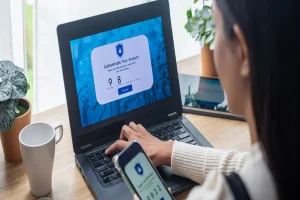
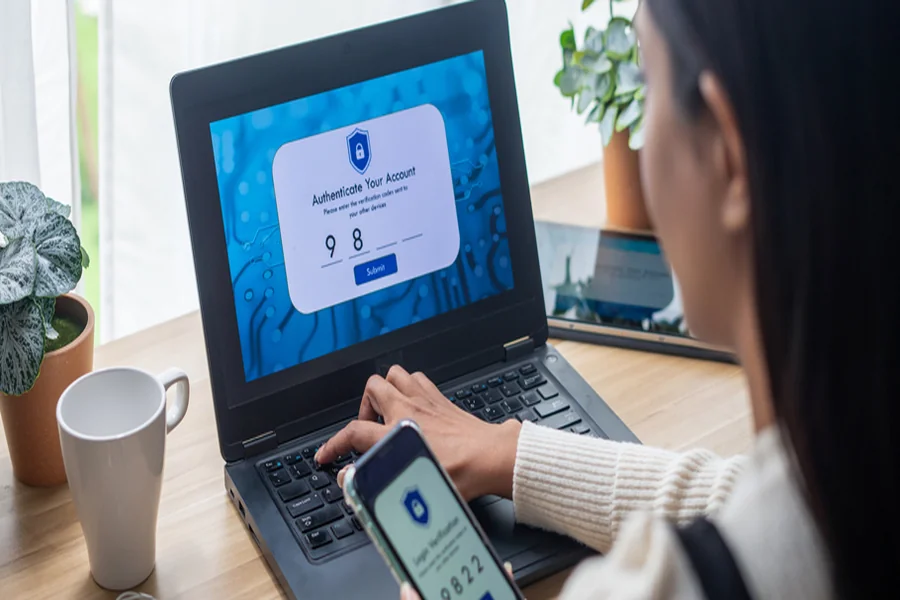
5. Turn on multifactor authentication
Multifactor authentication (MFA) means a stolen password alone isn’t enough to get in. In plain terms, multifactor authentication combines something you know, something you have and something you are. The US Cybersecurity and Infrastructure Security Agency says people who turn on MFA are “significantly less likely to get hacked,” and that “any MFA is better than no MFA.”
CISA also points out that the only widely available phishing-resistant option is FIDO/WebAuthn, the technology behind passkeys and security keys. If a site offers it, use it. Google is even moving Android users toward passkeys automatically wherever sites support them.
6. Check whether your email has shown up in a breach
Have I Been Pwned lets you search your email address against known data breaches for free. If yours appears, change the password on that account and anywhere you reused it.
It takes a minute and it’s oddly motivating. Most people find at least one old account they forgot existed.
7. Treat urgency as a red flag
“Your account will be closed in 24 hours.” “Unusual activity detected, verify now.” Pressure is the oldest phishing trick there is, because rushing stops you from checking the address bar.
If a message makes you feel like you need to act this minute, that’s your cue to slow down. Open the site from your bookmark and check your account there instead.
If you ever need to update your bookmark, for example to a new UFABET Access Link (UFABET ทางเข้า), get it from the brand’s own official channel rather than a forwarded message.
8. Sign out on shared or borrowed devices
Internet cafés, a friend’s phone, an office computer. Sign out when you’re done, don’t let the browser save your password, and use a private window if you can. If you forget, most sites let you sign out of all sessions from your account settings.
Set up your recovery options now
Here’s the part people skip until it’s too late. If you lose access to your account, the recovery options decide whether you get back in within minutes or spend a week arguing with support.
Open your account settings today and check three things. Is the recovery email one you still use? Is the phone number current? If the site offers backup codes for MFA, have you saved them somewhere safe, like your password manager?
It takes about five minutes per account. Start with your email account, because it’s the key that resets everything else.
MFA options compared
| MFA method | How it works | Phishing resistance | Good for |
| Passkey or security key (FIDO/WebAuthn) | Device confirms the real site cryptographically | Strongest | Anyone, wherever it’s offered |
| Authenticator app with number matching | You match a number shown on screen | Strong | Most everyday accounts |
| Authenticator app code | Six-digit code changes every 30 seconds | Moderate | When push or passkeys aren’t available |
| SMS or voice code | Code sent to your phone number | Weakest of the four | Better than nothing |
If something feels off mid-login
Stop typing. Close the tab. Don’t try to “test” the page by entering a fake password. Open the real site from your bookmark and sign in there.
If you already entered your password on a page you now doubt, change it right away on the real site, then change it anywhere else you used it. Turn on MFA if you haven’t, and check your account’s recent activity or session list for anything you don’t recognize. Never give your password or one-time code to anyone claiming to be support. Real support teams don’t need either.
In Thailand, if you’ve lost money or shared bank details, call the government’s anti-scam hotline on 1441 to report it and ask for the suspicious account to be frozen.
A one-minute habit
You don’t need to become a security expert. You need one habit: bookmark, look at the address bar, then type. Add MFA and a password manager and your account security is ahead of most people online.

Passionate about exploring diverse ideas and sharing inspiration, I curate content that sparks curiosity and encourages personal growth. Join me at ElementalNest.com for insights across a wide range of topics.