
Building a digital portfolio is one of the smartest moves a creative professional, student, or freelancer can make. But not everything you create is meant for everyone’s eyes. Whether you are sharing sensitive client work, early-stage designs, or personal projects you are not ready to publish widely, having control over who can view your portfolio is just as important as how it looks. The good news is that several platforms offer free or freemium tools that let you build beautiful, professional portfolios and lock down access when you need to. This article breaks down what to look for, how to use these features effectively, and which tools deserve your attention.
Why Privacy and Access Control Matter for Your Portfolio
Most people think of a portfolio as something to broadcast to the world, and for many use cases, that is exactly right. But there is a growing need for portfolios that function more like selective showcases. Freelancers working under non-disclosure agreements need a way to share their process work with hiring managers without exposing it to the public. Students building academic portfolios may want instructors and peers to access their work without making it Google-searchable. Photographers, videographers, and UX designers frequently deliver previews to clients who need a private review link before final approval.
Access control is not just about hiding things. It is about directing your work to the right audience at the right time. A portfolio with no privacy settings forces you into an all-or-nothing approach. A portfolio with layered access options gives you the flexibility to show the right work to the right person, whether that is a recruiter, a client, a professor, or a collaborator.
When evaluating free portfolio builders, most people focus on templates and storage limits. But the ability to password-protect individual pages, set visibility settings, or restrict access by invitation is a feature set that rarely gets enough attention during the selection process. Here is what you need to know to make a smarter choice.
What to Look for in a Free Portfolio Builder With Access Control
Before diving into tips and tools, it helps to understand the specific features that make up a solid access control system within a portfolio builder. Not all platforms are equal, and free plans often limit which privacy features are available.
Password Protection at the Page or Portfolio Level
Some platforms let you lock your entire portfolio behind a single password. Others allow you to set unique passwords for individual pages or projects within a larger portfolio. Page-level protection is more flexible because it lets you keep your public-facing work visible while hiding client-specific or in-progress pieces. Look for platforms that offer this granularity, even on free plans.
Visibility Settings (Public, Private, Unlisted)
Unlisted is a particularly useful middle ground. An unlisted portfolio or page is not indexed by search engines and will not appear in directory searches, but anyone with the direct link can still access it. This is ideal for sending work samples to specific people without full public exposure. Some builders also offer a fully private mode that requires login credentials to view anything at all.
Invite-Only or Link-Based Access
More advanced platforms allow you to share portfolios via a unique, expiring link or by inviting specific email addresses. This creates an audit trail of who has access and gives you the ability to revoke that access later. While this feature is more commonly found on paid tiers, a handful of platforms include basic versions of it at no cost.
Tips for Building a Free Portfolio With Privacy Features Built In
- Start With a Platform That Treats Privacy as a Core Feature, Not an Upgrade
Some portfolio builders treat access control as a premium add-on, burying it behind subscription paywalls. When you are evaluating free plans, go directly to the platform’s feature comparison page and check whether password protection and visibility settings appear on the free tier. If privacy is listed only under “Pro” or “Business,” assume you will not have meaningful access control without paying.
- Use Adobe Express to Design and Publish a Polished Portfolio
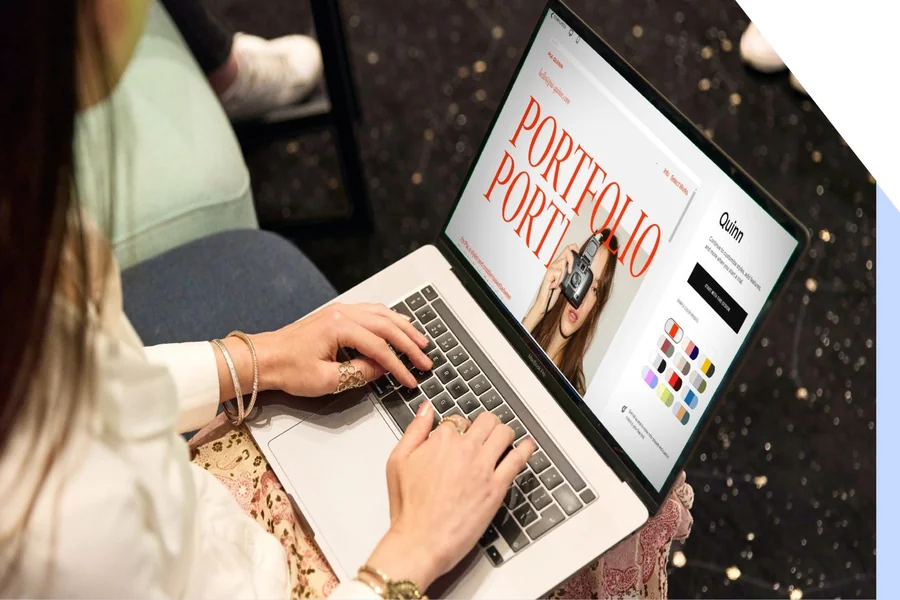
If you want a visually compelling portfolio without needing a design background, Adobe Express is a strong starting point. The portfolio maker from Adobe Express offers professionally designed templates you can customize with your own images, color palettes, fonts, and content. It is built for creatives who want a high-quality presentation without the complexity of a traditional web builder. Adobe Express allows you to create multi-page layouts, branded visual styles, and shareable portfolio links that are easy to control and update. For freelancers and students who need something polished and fast, it is one of the more capable free options available.
- Separate Your Public Portfolio From Your Private One
Rather than trying to manage complex access settings on a single portfolio, consider maintaining two versions. Your public portfolio contains your best, fully approved work and is optimized for search visibility. Your private portfolio, hosted separately or on a password-protected subdomain, contains client work, works in progress, and anything that is not ready for the general public. This separation reduces the risk of accidentally exposing sensitive material and gives you cleaner messaging for each audience.
- Use Unlisted Links for Client Reviews and Application Submissions
When sending your portfolio to a specific client or recruiter, use an unlisted or non-indexed link rather than your main public URL. This lets the recipient access your work without making that version of your portfolio part of your public digital footprint. It is also easier to customize messaging and project selection for a specific audience when you are not constrained by what your general visitors will see.
- Set Up a Unique Password for Each Client-Facing Project
If your portfolio builder supports page-level password protection, create a unique password for each client project rather than reusing the same one across the board. This limits exposure if a password is shared unintentionally. Treat these passwords the way you would treat login credentials for a sensitive account. Keep them stored securely and communicate them to clients through a separate channel from the portfolio link itself.
- Audit Your Visibility Settings Before Every Major Job Application
It is easy to let portfolio visibility settings drift over time, especially if you have been updating content frequently. Before sending your portfolio as part of a job application or client pitch, do a full audit of every page’s visibility settings. Check that the work you intend to be public is public, the work you intended to protect is still protected, and no draft or placeholder pages have accidentally gone live.
- Use Portfolio Sections Strategically to Limit What Casual Visitors See
Even on platforms without robust privacy controls, you can use structure to guide attention. Organize your portfolio so that the most polished, audience-appropriate work appears at the top or in the primary navigation. Move experimental work, client-specific projects, or personal explorations into secondary sections or separate pages. This does not replace access control, but it does create a natural filter for different types of visitors.
- Look for Platforms That Allow You to Disable Search Engine Indexing
Most portfolio builders include a setting that allows you to prevent your site from appearing in search results. This is often called “no-index” or “hide from search engines.” Enabling this on your private or work-in-progress portfolio is a simple step that significantly reduces the chance of unintended exposure. It does not prevent direct link access, but it removes your portfolio from publicly discoverable search results.
- Enable Expiring or Revocable Links When Sharing With New Contacts
If you are sharing your portfolio with someone you do not know well, look for platforms that let you create time-limited or revocable links. This is particularly useful for speculative client pitches or open calls where you want to share work but maintain control over how long it remains accessible. Not all free plans include this feature, but it is worth prioritizing if client privacy is a recurring concern in your work.
- Test Your Access Settings From a Private or Incognito Browser
After setting up any privacy configuration, always test it from an incognito or private browsing window, ideally on a different device or network. This simulates the experience of someone who is not logged into your account. Many people discover that their “password-protected” page is actually accessible to anyone who is already logged into the same platform account, which is a common oversight that only becomes visible when you test it properly.
- Keep a Log of Who Has Access to What
If you are managing multiple client portfolios or project-specific pages, keep a simple document that tracks who has the link, what the current password is, and when you last reviewed or updated access. This does not require any special software. A simple spreadsheet works well. The goal is to avoid a situation where you have forgotten which clients have access to which pages, especially when a project concludes and you want to close access.
Free Plan Limitations You Should Know About
Most free portfolio builders support the basics: a limited number of pages, restricted storage, and a subdomain rather than a custom URL. The access control situation on free plans varies widely. Some platforms include full password protection on free tiers. Others include visibility settings but not password protection. A smaller number offer truly granular access control only on paid plans.
What you should watch out for on free plans is the difference between privacy and security. A page marked as “private” may still be accessible to anyone with the direct URL if the platform does not enforce authentication. Similarly, a page that is “not indexed” by search engines is still publicly accessible if someone shares the link directly. True access control means that unauthorized visitors are actively blocked, not just passively discouraged.
When a platform’s free plan does not include the privacy features you need, consider whether the paid plan is worth the cost, or whether you can achieve similar results by combining a free portfolio builder with access control tools elsewhere in your workflow. For example, some creators host their public portfolio on a free builder and deliver private client work via a separate, purpose-built file sharing or review platform.
Frequently Asked Questions
Can I password-protect individual pages on a free portfolio plan?
Yes, but it depends heavily on the platform. Some free portfolio builders include page-level password protection as a standard feature available on all plans. Others limit it to paid tiers or offer only portfolio-wide protection rather than page-specific settings. Before committing to a platform, visit the feature comparison or pricing page and look specifically for “password protection” in the free plan column. If it is not listed, assume it is not available. It is also worth testing the feature during any free trial period to make sure the implementation is robust and not just a cosmetic restriction.
Is an unlisted portfolio link truly private?
An unlisted link is not fully private in the traditional sense. It means the page is not indexed by search engines and will not appear in public directory listings or platform search results, but anyone who has the URL can access the content directly. Think of it as “security through obscurity” rather than true access control. For most casual use cases, such as sharing work with a recruiter or a potential client, unlisted links are sufficient. For work that involves sensitive client information, proprietary designs, or confidential material, a password-protected page is a more appropriate choice.
What is the safest way to share a portfolio password with a client?
Never send the portfolio link and the password in the same message or email. If someone intercepts or accidentally forwards that message, they have everything they need to access your work. Instead, send the portfolio link in one message and the password through a separate channel, such as a text message, a direct message on another platform, or a phone call. For ongoing client relationships, consider using a secure password manager to share credentials. Bitwarden is a free, open-source password manager that allows secure password sharing between individuals, which is useful for creative professionals managing multiple client access points.
Do free portfolio builders allow me to turn off search engine indexing?
Most major portfolio builders include a setting to disable search engine indexing, and this feature is typically available on free plans. It is usually located in the site settings, SEO settings, or privacy settings section of the builder. Enabling this option adds a “noindex” directive to your portfolio’s metadata, which tells search engine crawlers not to list the page in their results. Keep in mind that this instruction is a request, not a technical barrier. Most reputable search engines honor it, but some smaller crawlers may not. For the most reliable privacy, combine no-index settings with password protection.
Can I grant access to only specific sections of my portfolio without upgrading to a paid plan?
It depends on the platform’s architecture. Some free builders allow you to create separate pages with individual visibility settings, which effectively lets you make some sections public and others restricted. If your builder does not support this natively, you can simulate it by creating separate portfolio instances: one for public work and one for restricted work, each with its own link and access settings. This approach requires a bit more management but works well for freelancers who need to maintain different portfolios for different client categories or industries without paying for multiple premium accounts.
Conclusion
Building a free portfolio that looks great is only half the challenge. The other half is making sure the right people see the right work at the right time. Access control features like password-protected pages, unlisted links, and visibility settings are not just conveniences; they are professional necessities for anyone working with clients, sharing sensitive projects, or managing multiple audiences simultaneously.
Whether you are using Adobe Express to design a stunning visual portfolio from scratch or exploring other free-tier builders, the key is to treat privacy settings as part of your workflow from the beginning, not as an afterthought. Audit your settings regularly, test your protections before every major share, and never assume that a “private” label automatically means secure. With the right platform and the right habits, you can confidently put your work in front of the people who matter while keeping it away from those who do not.

Passionate about exploring diverse ideas and sharing inspiration, I curate content that sparks curiosity and encourages personal growth. Join me at ElementalNest.com for insights across a wide range of topics.