
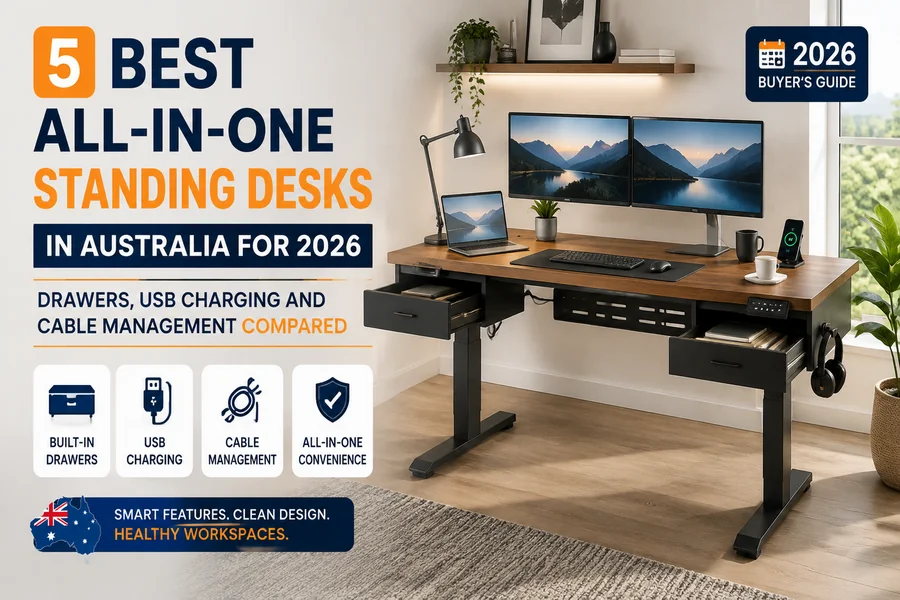
TL;DR
- Stand Desk Essential Bamboo – Best Built-In Cable Management for buyers who want routing sorted at checkout– a magnetic cable tray ships standard, not as an add-on
- Desky – Best Premium for hardwood buyers who want built-in charging on a premium frame– an 18W USB-C port sits on the control panel as standard, though the drawer and cable channel are both purchased as add-ons
- UpDown Desk – Best Buyer Terms for cautious first-time buyers– a 100-day money-back window before committing to accessories
- The bottom line:no desk here bundles storage, charging, and cable routing entirely as standard, so check what actually ships in the box first.
Stand Desk’s Essential Bamboo is the closest thing to a genuinely all-in-one frame sold in Australia, because its magnetic cable tray ships standard, not as a checkout extra. Desky’s Dual Hardwood Standing Desk with Drawer runs a close second on its built-in 18W USB-C port, though both the drawer and the cable-routing channel are sold as add-ons. UpDown’s 100-day return window, 9am Home’s configurable frame, and Secretlab’s cable-first gaming build round out the five.
Most “all-in-one” listings blur what’s bolted onto the frame with what buyers pay extra for later, and that matters most in a small home office, where a missing drawer turns a one-box order into a second delivery. No affiliate links or commissions shaped this ranking, every desk was assessed against its own published specs and verified reviews.
What Does “All-in-One” Mean in a Standing Desk?
An all-in-one standing desk bundles storage, power, and cable routing into one purchase, not a bare frame dressed up later. None of the five below ticks every box standard.
A. Built-in storage vs add-on drawers
A built-in drawer ships pre-fitted at the desktop’s price; an add-on drawer is ordered and mounted later. Desky’s under-desk drawer and 9am Home’s $149 drawer are both add-ons, not standard inclusions.
B. Integrated charging vs a power board under the desk
Integrated charging means a USB port wired into the control panel, not a power strip zip-tied to a leg. Desky includes an 18W USB-C port standard; Stand Desk’s charging comes only via its optional powered drawer.
C. Cable management that moves with the desktop
Cable management that moves with the desktop travels with the frame’s height adjustment instead of stretching mid-lift. Comcare names poorly stored materials among common causes of office slips and trips Comcare, the same failure a loose cable creates under a rising desk. Secretlab and Stand Desk build this in standard; Desky sells its version separately.
D. Why an all-in-one setup can be better for small home offices
Small home offices benefit most from one delivery that already covers storage and charging, since there’s rarely space for a mismatched second parcel. Monash University notes desks often ship with a cable tray and powerpack “tagged for electrical compliance”Monash University, which is why a factory-fitted solution suits a tight room.
The 5 Best All-in-One Standing Desks Compared
The table lines up all five desks on price, dimensions, storage, charging, and cable management.
| Brand | Best For | From | Height | Desktop | Drawer | USB | Wireless | Cable Mgmt | Motors | Capacity | Warranty |
| Stand Desk Essential Bamboo | Best Built-In Cable Mgmt | POA | 64-127cm | Multiple | Optional | 4 (add-on) | No | Built-in | Dual | 150kg | 10-yr |
| Desky Dual Hardwood + Drawer | Best Premium | $1,254.90 | 60-125cm | 150-200cm | Add-on | 18W USB-C | Optional | Optional | Dual | 150kg | 10/5-yr |
| UpDown Desk PRO+ | Best Buyer Terms | $899 | 64-129cm | 120-180cm | None | None | Optional | Optional | Dual | 150kg | 10/5-yr |
| 9am Home Atom Pro | Best Configurable Hardwood | $1,399 | 65-130cm | 120-180cm | +$149 | None | No | +$41.90 | Dual | 125kg | 10-yr |
| Secretlab Magnus Pro | Best for Gaming Setups | $1,099 | Sit-stand | 70cm depth | None | None | No | Built-in | Dual | 120kg | 5-yr |
1. Stand Desk Essential Bamboo – Best Built-In Cable Management
Stand Desk builds the Essential Bamboo around a 150kg-rated dual-motor frame with a bamboo top and a magnetic cable tray included standard. Storage isn’t part of the base package, an optional Powered Desk Drawer adds two USB-A and two USB-C ports.
Strengths:
- Magnetic cable tray included standard on the base desk
- 150kg capacity, dual-motor, 3-stage leg frame
Limitations:
- Storage and charging both require a separate drawer purchase
- Price isn’t published as a flat rate, it varies by size and finish
Suitable for: Buyers who want cable routing sorted standard and don’t mind adding a powered drawer separately.
Contact Stand Desk:
Address: 18 Overlord Place, Acacia Ridge QLD 4110
Phone: 1800 905 107
Instagram: instagram.com/stand.desk/
2. Desky Dual Hardwood Standing Desk with Drawer – Best Premium
Desky Dual Hardwood Standing Desk pairs its 150kg-rated dual-motor frame with a built-in 18W USB-C port on the control panel, priced from $1,254.90 for the listing that adds a matching under-desk drawer, though both the drawer and full cable concealment are add-on purchases.
Press Start called the Dual Hardwood build “simple brilliance“Press Start, and the Canberra Times ranked Desky among Australia’s best standing desksCanberra Times. Desky’s frame also holds up as an all-rounder outside the hardwood tier.
“I recently purchased a 72″ x 30″ sit-stand desk, with certain accessories, from Desky and could not be happier, with both the products and Desky’s outstanding customer service. The desk itself has a solid (1″ thick) hardwood top, dual motors, and a simple but highly effective control mechanism.” Mark B., 5 stars on ProductReview.com.au (verified, October 2025)
Strengths:
- 18W USB-C port built into the control panel, standard across the range
- 150kg capacity, dual motor frame, 10-year frame and electronics warranty
Limitations:
- The drawer and the full cable-routing channel are both separate add-on purchases
- Premium pricing next to entry-level options
Suitable for: Hardwood buyers who want built-in charging on a premium frame and don’t mind adding the drawer and cable channel separately.
Watch Desky: https://www.youtube.com/watch?v=NhaQ-PBibQg
Contact Desky:
Address: 2620 Ipswich Road, Darra QLD 4076
Phone: (07) 3088 9131
Instagram: instagram.com/deskyau/
3. UpDown Desk PRO+ – Best Buyer Terms
UpDown backs its PRO+ melamine frame with a 100-day money-back window, priced from $899 at 150kg capacity. Charging and cable routing aren’t built in, a Power Rail and Wireless Charging Mat are sold separately.
Strengths:
- 100-day money-back trial before any accessory purchase
- 150kg capacity, 10-year frame and 5-year desktop warranty
Limitations:
- No drawer or charging port on the base frame
- Power and charging accessories add to the total cost
Suitable for: Cautious buyers who want to trial a desk risk-free before adding accessories.
Contact UpDown Desk:
Address: 128-130 South Park Drive, Dandenong South VIC 3175
Phone: 1300 650 773
Instagram: instagram.com/updowndesk/
4. 9am Home Atom Pro – Best Configurable Hardwood Desk
9am Home builds the Atom Pro around FAS-grade Ash hardwood on a 125kg-rated frame, priced from $1,399. Neither the drawer nor the cable tray ships standard, both cost extra ($149 and $41.90), letting buyers pay only for what they’ll use.
By the way, 9am Home picked up a 1-star review on Trustpilot over missing parts and a slow support response, so it’s worth doing your own research before you buy.
Strengths:
- GREENGUARD Gold certified desktop, 10-year warranty
- Storage and cable management added individually as needed
Limitations:
- Drawer and cable tray are both optional extras, not included in the base price
- 125kg weight capacity, lower than the 150kg rating on several rivals here
Suitable for: Buyers who’d rather configure storage and cable management individually than pay for a bundle.
Contact 9am:
Address: 1a/280 Whitehorse Road, Nunawading VIC 3131
Phone: 0451 490 286
Instagram: instagram.com/9amhome
5. Secretlab Magnus Pro – Best for Gaming Setups
Secretlab builds the Magnus Pro around a full-length cable tray and magnetic cover with a power strip built into the leg, rated to 120kg, priced from $1,099. TechRadar confirmed the tray spans the tabletop’s full length but narrows usable depthTechRadar, and expertEasy flagged that add-ons push the total cost past the base priceexpertEasy.
Strengths:
- Full-length cable tray and magnetic cover built into the frame
- Leg-mounted power strip runs both the desk motor and gaming gear
Limitations:
- No drawer or built-in USB charging port
- Cable tray reduces usable desktop depth from an advertised 70cm to roughly 58cm
Suitable for: Gaming and multi-monitor setups that need cable routing handled without a drawer eating legroom.
Contact Secretlab:
Twitter/X: x.com/secretlabchairs
Do More Features Mean a Better Standing Desk?
More features don’t automatically add value; they add more things that can go wrong.
Feature overload vs. genuinely useful upgrades
Feature overload bundles capabilities the buyer will rarely use, like RGB lighting nobody else sees, while a genuinely useful upgrade solves a problem that already exists.
More electronics mean more potential failure points
Every extra motor, sensor, or powered accessory is one more part that can fail during the warranty period, so more built-ins mean more to fix.
Keep the lifting system simple where possible
The lifting system has to work every day, so it deserves more scrutiny than the accessories around it. A dual-motor frame with stable legs is proven on its own.
Which built-ins are worth paying for?
Built-in charging and a factory-fitted cable tray solve a daily annoyance, which is what makes them worth it, while a drawer earns its keep only if storage is genuinely needed.
What to Check Before Buying a Feature-Packed Standing Desk
A feature-packed desk still has to pass the same basic checks as a plain frame.
☑ Maximum load with all your equipment installed
Check maximum load with every monitor, dock, and accessory installed, not the bare desktop, since a 150kg rating sounds generous until a monitor arm and a full drawer are added.
☑ Desktop dimensions
Desktop dimensions decide whether a drawer or cable tray fits the available floor space, so measure the room before choosing a larger size.
☑ Charging specifications
Charging specifications matter because an 18W USB-C port charges a phone but struggles with a power-hungry laptop, and Monash University warns against connecting heaters or fans to a desk’s powerpack, since it can overload the motorMonash University.
☑ Storage capacity
Storage capacity in an add-on drawer is usually shallow, sized for stationery rather than files, so check its dimensions against what actually needs storing.
☑ Cable access
Cable access should stay reachable after installation, not buried behind a locked drawer. A magnetic or hinged tray cover is easier to service than one needing a plate removed.
☑ Replacement parts and warranty
Check replacement parts and warranty length separately for the frame, motor, and desktop, since AU brands split coverage. Desky covers the frame and electronics for 10 years, but the desktop for 5.
FAQs
Do standing desks with built-in drawers wobble more than plain desks? A drawer adds little weight low on the frame, so it has a minor effect on stability next to the desktop material and leg design.
Is it worth paying extra for a desk with cable management already installed? Factory-fitted cable management earns its cost if loose cables are already a daily annoyance, since retrofitting a tray afterward is fiddly.
Can I add a USB charging drawer to a standing desk I already own? Most standalone USB charging drawers, like Stand Desk’s Powered Desk Drawer, mount under most flat-top desktops regardless of brand.
What makes Desky’s cable management different from other all-in-one desks here? Desky treats both the drawer and the cable-routing channel as separate add-ons, so buyers only pay for the specific extras they actually want rather than a fixed bundle.
Does the drawer on Desky’s Hardwood desk reduce legroom or knee clearance? The drawer mounts flush under the desktop rather than into the leg space, so it doesn’t meaningfully cut knee clearance at a standard sitting height.
Conclusion
Five desks deliver five different answers, and no single frame here bundles storage, charging, and cable management entirely as standard. Stand Desk comes closest to cable management at the base price, Desky’s built-in charging rewards hardwood buyers who don’t mind adding the drawer and cable channel themselves, and UpDown’s 100-day trial suits anyone still deciding. Check the maximum load with your actual equipment installed and the real drawer dimensions first, not just the headline spec.

Passionate about exploring diverse ideas and sharing inspiration, I curate content that sparks curiosity and encourages personal growth. Join me at ElementalNest.com for insights across a wide range of topics.