
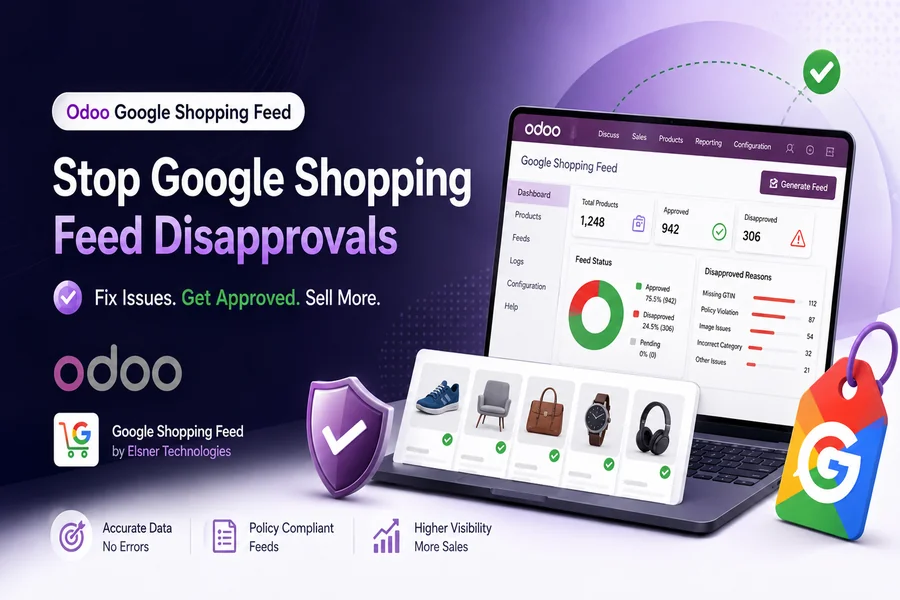
You built the feed, uploaded it to Google Merchant Center, and waited for the traffic to roll in. Instead, half your catalog shows a red “Disapproved” flag and your Shopping ads never even enter the auction. If this sounds familiar, you are far from alone. Product feed disapproval is one of the most common reasons online sellers lose visibility on Google Shopping, and the frustrating part is that most of them come down to a handful of fixable data problems rather than anything wrong with the products themselves, whether you manage your product feed sync by hand or through an automated tool.
A disapproved product does not show up with reduced visibility or a lower ranking. It does not appear at all in paid Shopping ads or free listings, no matter how competitive your bid is. Every day a product is disapproved is a day of lost impressions, lost clicks, and lost revenue that a competitor’s listing is quietly picking up instead. This guide walks through why disapproval happens, what changed in Google’s Google Shopping Feed requirements this year, and the exact steps to fix and prevent them going forward.
What makes disapprovals particularly frustrating for growing ecommerce brands is that the error messages Google surfaces are often technically accurate but practically vague. “Price mismatch” tells you what happened, not why it happened or which of your hundred SKUs are affected without your having to dig. The goal of this article is to close that gap: to explain not just what each disapproval reason means, but where it typically comes from operationally, so you can fix the process behind it and not just the symptom in front of you.
What a Disapproval Actually Costs You
Retailers tend to underestimate how much a disapproved product line item is worth. If a product page converts at even a modest rate and pulls in a handful of Shopping clicks a day, a prolonged disapproval of a best-seller can quietly erase a meaningful chunk of monthly online revenue before anyone notices the pattern. Multiply that across dozens or hundreds of SKUs sitting in “Needs attention,” and the real cost of an unmanaged feed becomes clear.
Disapproval also compounds. Google evaluates account-level signals alongside item-level ones, so a high rate of disapproved products across your catalog can affect how the rest of your feed performs, even the items that are technically approved. That is why feed health is not a one-time setup task. It needs the same ongoing attention as your ad spend or your inventory levels.
Disapprovals also tend to cluster around specific moments in the retail calendar. Sellers commonly see a spike in flagged products right after a sitewide sale ends, right after a seasonal SKU range gets discontinued, or right after a bulk price update goes out across a catalog. None of those moments are unusual for a growing store. What is unusual is a feed process that cannot keep up with them, and that mismatch, more than any single attribute error, is the actual root cause behind most disapproval spikes.
Where to Actually Diagnose the Problem
Before fixing anything, open the Diagnostics section inside the Merchant Center, specifically the Issue Details Page. This is where Google lists every active issue affecting your account, broken down by severity and by how many products are impacted. Guessing at the cause from inside your feed file is a waste of time. The Diagnostics tab tells you exactly which attribute triggered the disapproval, whether it is an error or a warning, and how many items share the same root cause.
Errors and warnings are not the same thing, and treating them the same is a common mistake. A disapproved product is completely invisible in Shopping. A product flagged with a warning, such as a missing GTIN or brand, still shows up but with limited performance and reduced auction eligibility. Fix full disapprovals first since they represent a complete loss of visibility, then work through warnings to improve performance on products that are technically live but underperforming.
The Real Reasons Products Get Disapproved
1. Price and Availability Mismatches
This is consistently the single biggest cause of feed disapprovals. Google crawls your product landing page and compares the price and stock status against what your feed says. If your feed shows a product in stock at 49.99 dollars and the live page shows it at 44.99 dollars because of a sale, or shows it as sold out, that mismatch triggers an automatic disapproval. The same happens when a promotion ends on your site but the feed still carries the old sale price, or when currency and location-based pricing on your site do not match what was submitted.
The fix is not complicated in principle: your feed needs to reflect your live site in near real time, not the state of your catalog from a few hours or days ago. The complication is operational. Manually updating a spreadsheet-based feed every time a price changes or stock runs low simply does not scale past a small catalog.
2. Invalid or Missing GTINs
Unique product identifiers, primarily the GTIN (UPC in North America), are the second most common disapproval trigger. Google requires a valid GTIN for most new products unless you are the sole manufacturer of an item or it falls into a small number of exempt categories like custom or handmade goods. A GTIN that fails the GS1 checksum, belongs to a different brand than the one listed, or is simply left blank on a branded product will get that item rejected outright rather than just flagged with a warning.
A frequent and avoidable mistake here is guessing at a GTIN or copying one from a similar product to get past validation. Google checks GTIN ownership against GS1 registry data, so a mismatched identifier does more harm than leaving the field empty. If you are not certain a GTIN is correct, it is safer to omit it than to submit a guess.
Variant products create an extra layer of complexity here. Every color and size combination needs its own GTIN, not one shared value across the whole product line. Sellers migrating from a legacy system or a marketplace export often carry over a single identifier for what should be several distinct variants, and that alone can trigger identifier-related warnings across an entire product group rather than one item.
3. Image Quality Issues, and a Change You Need to Know About
Low-resolution images, watermarks, promotional text overlaid on the product photo, placeholder graphics, and broken image URLs all lead to disapproval. Google’s crawler checks the actual image file behind the image_link attribute, not just whether the URL resolves.
There is also a specific update worth flagging for anyone managing a feed this year. Google raised the minimum resolution requirement for the image_link and additional_image_link attributes to 500 by 500 pixels across all product categories. Warnings for images that fall short of this threshold started appearing in Merchant Center in April 2026, with full enforcement, meaning outright disapproval, beginning January 31, 2027. If any of your product images sit below that resolution, you have a window to fix them before they start pulling products out of Shopping entirely. Check the “Needs attention” section of your account and look for the “Image too small for upcoming enforcement” warning to see which SKUs are affected.
Beyond resolution, a surprising number of image-related disapproval comes from lifestyle or catalog images that do not actually match the product being sold, such as a bundle photo used for a single-item listing, or a swatch image used in place of an actual product shot. Google’s guidance is direct on this point: the image needs to represent exactly what the shopper will receive, not a category representation of it.
4. Missing or Incorrect Category and Variant Data
An incorrect google_product_category value, a missing item_group_id on variant products, or absent color and size attributes on items that clearly have variants all show up as recurring issues in Google’s own product data specification. Variant products, meaning the same item in different colors or sizes, each need their own unique identifier and a shared item_group_id so Google understands they belong to the same parent product. Skipping this either causes disapprovals or, more often, causes Google to display the wrong variant to shoppers, which hurts conversion even on approved listings.
5. Destination URL and Crawl Errors
If the link in your feed returns a 404, redirects somewhere unexpected, or is blocked from crawling by your site’s robots.txt file, Google cannot verify the product page and will disapprove the item. This is easy to miss because the link might work perfectly fine in a browser while still being blocked for Google’s crawler specifically. Running the URL through Search Console’s URL Inspection tool is the fastest way to confirm whether Google can actually reach and render the page the way a shopper would.
6. Account-Level and Policy Issues
Some disapprovals have nothing to do with individual product data and everything to do with account-level compliance. An unverified store name, a rejected business logo, misrepresentation of your business identity, or selling in a restricted category such as pharmaceuticals or alcohol without the required policy setup can block your entire catalog rather than a single SKU. These are the highest-priority issues to resolve because until they are cleared, no amount of fixing individual product attributes will get your listings live.
Account-level issues also tend to surface at the worst possible time, right as a store scales into a new region or adds a new payment method, because that is exactly when Google re-checks business identity signals like the name on your storefront versus the name on your business verification. A quick review of your account status in the Merchant Center before a major launch or a seasonal push can catch this before it becomes a catalog-wide outage.
7. Stale, Infrequent Feed Syncs
Even a perfectly structured feed goes stale if it only updates once a day or once a week. Inventory sells out, prices change for seasonal promotions, and products get discontinued far more often than most sellers plan their feed refresh cycle around. The gap between how often your store’s data actually changes and how often your feed syncs with the Merchant Center is where most price and availability disapproval quietly originate.
This is especially true around flash sales and limited-time promotions. A ten percent off weekend sale might only run for 48 hours, but if the feed sync cycle is set to once every 24 hours, there is a real chance Google crawls the landing page mid-sale while the feed still reflects the regular price, or crawls it right after the sale ends while the feed still shows the discounted price. Either direction results in a mismatch and a disapproval, even though nothing was technically wrong with the pricing strategy itself.
A Practical Framework for Fixing Disapprovals
Once you understand the common causes, the process for actually clearing them follows a repeatable pattern. Most sellers who struggle with recurring disapprovals are not missing knowledge about what Google wants. They are missing a consistent process for catching drift between the store and the feed before Google catches it for them.
- Start with Diagnostics, not the feed file. Open the Issue Details Page in the Merchant Center and sort by the number of products affected, so you fix the highest-impact issues first.
- Separate errors from warnings. Errors mean the product is invisible right now. Warnings mean it is live but underperforming. Prioritize accordingly.
- Fix the underlying data, not just the symptom. If a price mismatch is flagged, check whether the root cause is a manual feed update process rather than a one-off typo, because the same issue will resurface next week if the process does not change.
- Resubmit and request review where required. Data-related fixes are typically re-evaluated within 24 to 48 hours of an updated feed being submitted. Policy-related disapprovals usually need a manual review request and can take one to three business days.
- Re-check after 48 hours. Confirming the fix actually resolved the issue in Diagnostics rather than assuming it did, since a partial fix can leave a product disapproved for a slightly different reason than the original one.
Why Manual Feed Management Breaks Down at Scale
Most of the causes above trace back to the same underlying problem: feed data and live store data drifting out of sync. That drift is nearly impossible to prevent by hand once a catalog grows past a few hundred SKUs, because pricing, stock, and product details change constantly and a spreadsheet or a one-time export simply cannot keep pace.
This is exactly the gap a purpose-built Google Shopping Feed integration is meant to close for stores already running on Odoo. Instead of exporting a feed manually and hoping nothing changes before Google crawls it, the sync runs on an hourly schedule directly from your Odoo product and inventory data, so price and stock status in Merchant Center reflect what is actually true on your site. It also runs a pre-flight debugger before anything gets pushed, catching missing field mappings, missing category mappings, and incomplete GTIN or brand data before Google ever sees them, along with a per-product status view so you can see exactly which items are pending, synced, or flagged without digging through spreadsheets.
For teams managing Odoo-based storefronts, that kind of ongoing, automated sync generally does more to prevent recurring disapprovals than any one-time cleanup of the feed file. A field mapping tool that connects Google’s attributes directly to native Odoo fields, static values, or simple expressions also removes one of the more error-prone parts of feed management: hand-building an export template and hoping every future product added to the catalog follows the same structure. When mapping lives at the shop level instead of inside a one-off spreadsheet, new products inherit the correct structure automatically instead of needing a manual review before they can go live on Shopping.
Best Practices to Keep Disapprovals From Coming Back
- Audit Diagnostics weekly rather than waiting for a drop in Shopping traffic to notice something is wrong.
- Automate price and inventory sync so the feed updates with your store rather than on a fixed manual schedule.
- Validate GTINs against GS1 data before submission instead of guessing when a value is uncertain.
- Review image resolution against the updated 500 by 500 pixel minimum now, well ahead of the January 2027 enforcement date.
- Keep item_group_id, color, and size attributes complete on every variant product, not just the parent listing.
- Resolve account-level warnings, such as an unverified store name, before they escalate into a catalog-wide block.
Frequently Asked Questions
How long does a Google Merchant Center disapproval take to clear once fixed?
Data-related disapprovals, such as a corrected price or a fixed GTIN, are typically re-evaluated within 24 to 48 hours after the updated feed is submitted. Policy-related disapprovals that require a manual review request usually take one to three business days after the request is filed in Diagnostics.
Can one disapproved product affect the rest of my catalog?
An individual item-level disapproval usually stays isolated to that product. Account-level issues are different. Something like an unverified store name or a flagged policy violation can prevent your entire catalog from being eligible to show, which is why account-level warnings should always be resolved before spending time on individual product fixes.
Do I need a GTIN for every product?
Most new products need a valid GTIN unless you manufacture the item yourself, it is a custom or handmade product, or it falls into one of a small number of exempt categories. If a product genuinely has no GTIN assigned by the manufacturer, leave the field blank rather than submitting a placeholder value.
Why does my product show as disapproved when the data in my feed looks correct?
This usually means the feed and your live product page have drifted apart since the feed was last generated. Google re-crawls your landing page at evaluation time, so if the price, availability, or product details on the page do not match what the feed says right now, the mismatch triggers the disapproval even though the feed file itself looks fine on export.
Final Thoughts
A disapproved product is not a dead end. In the large majority of cases it is a specific, identifiable data issue that gets resolved within a day or two once you know where to look. The sellers who stay ahead of it are the ones who treat feed health as an ongoing process, not a one time setup step, and who lean on automation to keep pricing, stock, and product data accurate between syncs rather than catching mismatches after Google already has.
If you are running your store on Odoo and want to see how a fully automated feed sync app for Google Shopping can fit into your setup, or need help connecting Odoo with your ecommerce store and marketing stack, Elsner Technologies’ Odoo Development Services can help you create a more connected and efficient ecommerce setup.

Passionate about exploring diverse ideas and sharing inspiration, I curate content that sparks curiosity and encourages personal growth. Join me at ElementalNest.com for insights across a wide range of topics.