
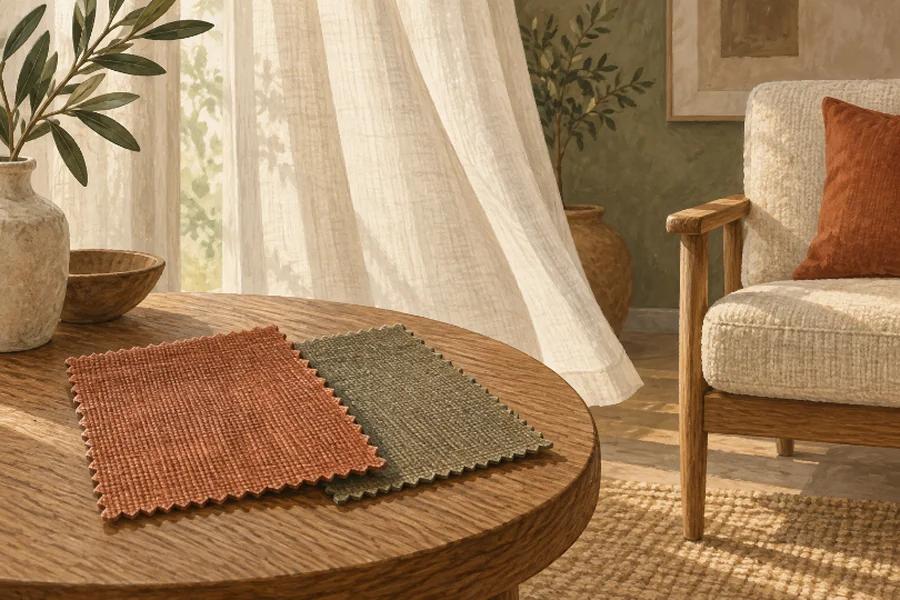
The curtains move beautifully, but the person choosing them keeps pausing the video. They want to see the weave and compare its color with the sofa. Every breeze folds the fabric again. A presentation intended to make the room easier to imagine has made one small decorating decision harder.
That is a useful place to begin a comparison between a photograph and an animated room view. Before opening an animation tool, decide whether the viewer is inspecting a material or responding to a mood. Those tasks can call for different assets, even when both use the same room photograph.
MakeShot can animate an image from a written motion description. For a room concept, that offers a way to explore atmosphere around an existing composition. It does not turn a photograph into a measured room model, a reliable fabric sample, or a view of surfaces hidden behind the furniture.
Name The Decorating Decision Before Choosing A Format
“Help me picture the room” is too broad to guide the presentation. A homeowner may be choosing between two curtain fabrics, deciding whether a reading corner feels calm, or checking whether a chair will fit beside a cabinet. Write down the actual decision. The first benefits from inspectable detail, the second may benefit from atmosphere, and the third requires dimensions.
Consider a hypothetical choice between an oatmeal linen and a darker woven fabric. A still image lets the viewer look back and forth at the same folds. A moving curtain changes the visible surface during that comparison. If the animation also alters the apparent color or texture, the viewer is no longer comparing only the two proposed fabrics.
Keep physical samples in the process. A screen image can suggest a palette, but it cannot show how a fabric feels in the hand or guarantee its appearance under the room’s actual lighting. A generated video adds another interpretation to that image. Use it to discuss an impression, then make the purchase decision against samples and product information.
There is still a good reason to test motion with an AI Video Generator. A quiet curtain movement might communicate how an airy reading corner should feel. A small change in light may help explain the desired atmosphere. Give that clip a narrow question to answer, so an attractive result does not get mistaken for evidence about every aspect of the design.
Compare A Still Photograph With Two Motion Treatments
Use one approved source image for the comparison. Keep the same furniture arrangement and visible finishes. MakeShot’s image-to-video route starts with an image and a description of movement, so it is suited to proposing an ambient version of that composition. Any extra detail invented during generation needs to be treated as interpretation, not an update to the design specification.
| Presentation | Useful question | Main risk to inspect |
| Unmoving room photograph | Which visible finish works with this palette? | Small details may still need a closer photograph |
| Slow pan across the existing photograph | Where should attention move within this composition? | The crop may hide the comparison area |
| Generated ambient room clip | Does this movement support the intended mood? | Fabric, furniture, or lighting may change unintentionally |
The pan can be made in an ordinary editor without asking a model to invent another viewpoint. It moves across pixels that already exist. That is different from a generated camera move that appears to travel around a chair and reveal its side. Label the latter as a concept, and do not use newly revealed geometry to settle a layout question.
For the ambient candidate, request one restrained action, such as a slight movement in the curtain with the camera held still. Avoid adding a moving lamp, drifting cushions, and changing sunlight in the same brief. The point of this comparison is to learn whether motion helps the room presentation, not to stage the most elaborate scene possible.
An AI Video Generator earns its place here only if the moving version answers the mood question more clearly than the still. If reviewers spend the whole time discussing a distorted chair leg, that candidate is not useful evidence about the room’s atmosphere. Reduce the movement or keep the photograph.
Watch What The Viewer Uses To Decide
Show the alternatives to the person making the decorating decision, but ask a specific question instead of “Which looks better?” For the reading corner, ask which version best communicates the intended feeling and which visible detail led to that answer. For the fabric choice, ask them to identify the material they would inspect in person.
Watch the small actions around the answer. Repeated pausing suggests that a stable view is needed. Scrubbing backward to find a particular fold suggests that an important detail appears only briefly. Asking whether the chair has changed shape points to a generation problem. None of these observations requires a claim about engagement or conversion rates.
If two people disagree, find out whether they are solving the same problem. One may prefer the animated version as an introduction to the design. Another may prefer the still because they are ready to compare upholstery. Both responses can be useful. The mistake would be to make the mood clip carry the entire presentation and remove the material reference.
Keep display conditions reasonably comparable. Show the alternatives at similar sizes on the same device, without giving one a dramatic soundtrack and leaving the others silent. For an informal review, this removes an obvious distraction; it does not turn the exercise into a controlled study. Record the design decision and the reasons given, not an invented performance score.
If the curtain conceals the fabric, use MakeShot to try a smaller amount of that movement. Keep the source photograph and the question unchanged. If the reduced version no longer obscures the curtain but also adds little to the impression of the room, the still has won a fair comparison. There is no obligation to keep a generated asset simply because it took time to make.
Once the mood direction is chosen, return to the details that cannot be settled on screen. Put the real swatches beside the existing furniture and view them in the room. Measure the proposed chair position. The concept video can explain the direction of the design while those separate checks establish what can actually be bought and installed.
Pair The Mood Clip With An Inspectable Reference
For an early room presentation, MakeShot may be useful when a little movement helps communicate atmosphere. Keep a matching still available for the person who wants to stop and inspect. For material selection or dimensional decisions, prioritize photographs, samples, and measurements over generated motion.
A good presentation gives each asset one clear role. Let the clip introduce the feeling of the room, let the still hold its visible details, and let physical evidence settle the final choices. If the curtain movement gets in the way of choosing the curtains, leave that part still.

Passionate about exploring diverse ideas and sharing inspiration, I curate content that sparks curiosity and encourages personal growth. Join me at ElementalNest.com for insights across a wide range of topics.